
Welcome to our Dell XPS 13 review. The Dell XPS 13 is one of the closest any tech manufacturer has come to a perfect device, advancing the product line to a new level. Among the best Dell laptops right now, it is powerful enough to handle most tasks ranging from browsing, programming, playing 3D games, and more. It is feature-rich enough to boast a keyboard and a trackpad that are both a comfort to use as well as an excellent display and great-sounding speakers for your pleasure.
And even yet, the Dell XPS 13 is significantly cheaper than the 13-inch MacBook Pro, a very strong competitor in terms of performance. With a starting price of $949 for its 256GB SSD, 8GB of RAM, and a 10th-generation Intel Core i7 Comet Lake CPU configuration. That’s more affordable than the MacBook Pro’s Intel i7 and 16GB of RAM configuration.
Coupled with the stunning design elements of the product’s line, the Dell XPS 13 has become a model of distinction. And, if you’re not a die-hard fan of the macOS environment, changing to the Dell XPS 13 is a very welcoming idea for most people.
Dell XPS 13 Specifications
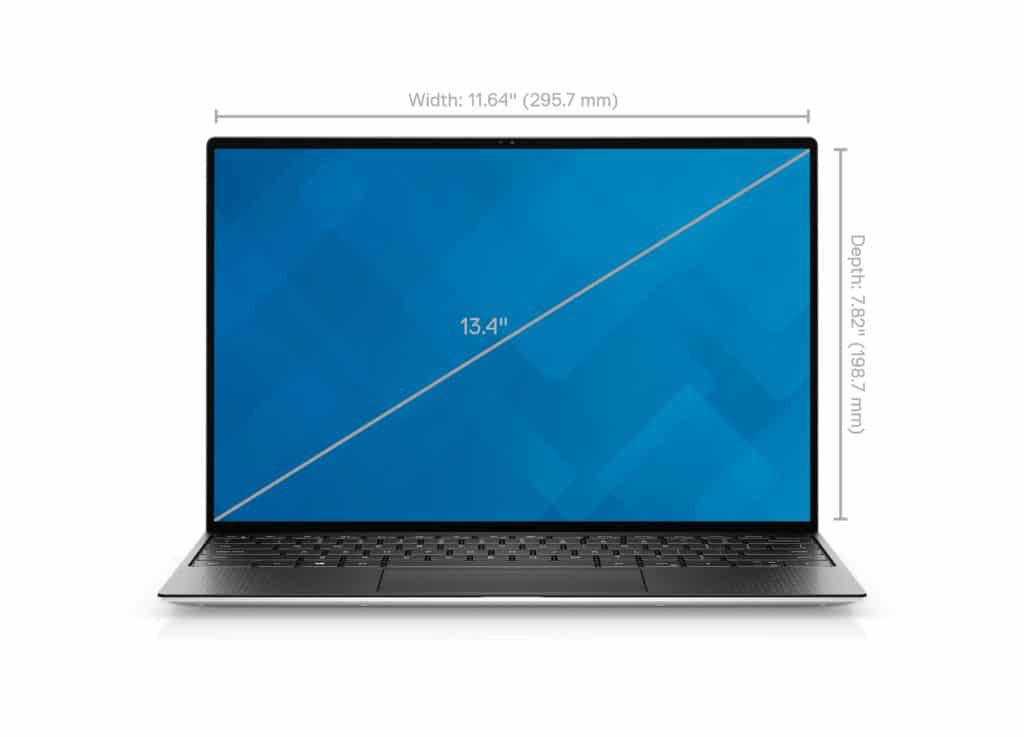
CPU: 1.3GHz Intel Core i7-1065G7 (quad-core, 8MB Intel Smart Cache, up to 3.9GHz with Turbo Boost)
Graphics: Intel Iris Plus (integrated)
RAM: 16GB LPDDR4x (3,733MHz)
Screen: 13.3-inch FHD (1,920 x 1,080) touch
Storage: 512GB SSD (PCIe, NVMe, M.2)
Ports: 2x USB-C 3.1 with Thunderbolt 3, microSD card reader, combo audio jack
Connectivity: Killer Wi-Fi 6 AX1650, 2 x 2, Bluetooth 5.0
Camera: 1080p IR Webcam
Weight: 2.8 pounds (1.27 kg)
Size: 11.6 x 7.8 x 0.58 inches (296 x 199 x 14.8 mm; W x D x H)
Dell XPS 13 features:
Design
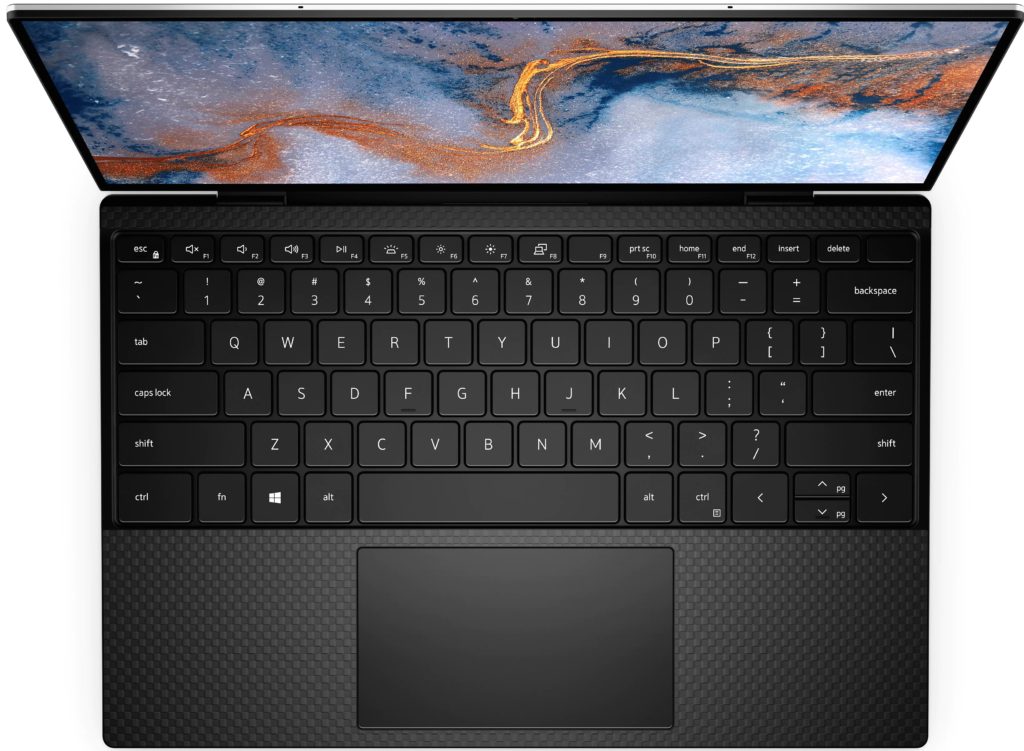
In terms of yearly laptop improvements, we have literally not seen a glow-up like the Dell XPS 13. It’s thinner, lighter has smaller bezels, but unlike the XPS 15, it doesn’t bring the speakers to the top of the device. With all of these improvements, the XPS 13 has catapulted ahead of the 15-inch model to be the best Dell laptop to get.
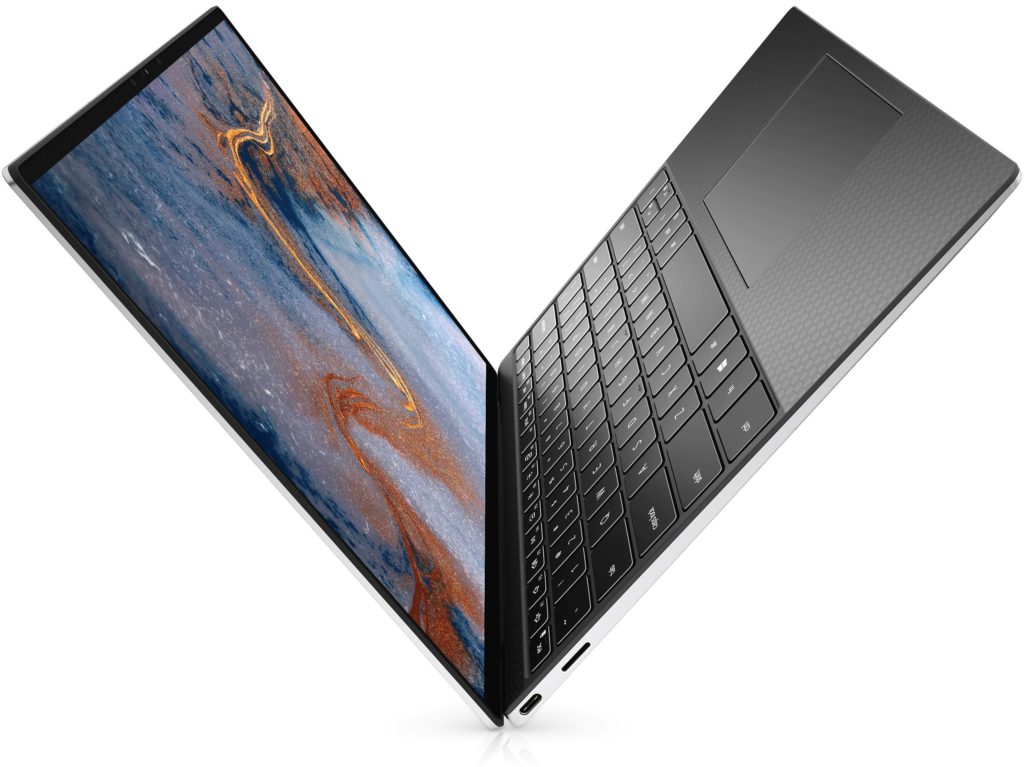
Although, not everyone wants to carry around a bulky 15-inch laptop, regardless of what kind of performance improvements come with the beefier hardware. However, this new Dell XPS 13 is just 0.58 inches (14.8mm) thick and weighs just 2.8 lb (1.27kg). Definitely not the most lightweight laptop in the world, but with this kind of sophisticated hardware and a battery that lasts as long as it does, you’ll agree it’s more portable than it even needs to be.
There’s a little cut back quite a bit as far as ports, with it being narrowed down to two Thunderbolt 3 ports, an SD card reader, and a headphone jack. That implies that folks that want to use a bunch of legacy peripherals will have to look for an alternative, but that’s what we’ve been seen lately. The fact that Dell was generous enough to include an SD card reader in a thin laptop is worthy of our praise, given that we’re constantly on the hunt for our USB-C SD card adapter these days.
Given how gorgeous the laptop is, anyway, we’ll easily look past this lack of legacy ports. Made entirely of CNC aluminum with clean edges and that typical Dell logo on the outside, this is a stylish laptop. And, the carbon fiber is back on the keyboard deck, and it’s just as comfortable as ever, even if it may get a little grungy over time.
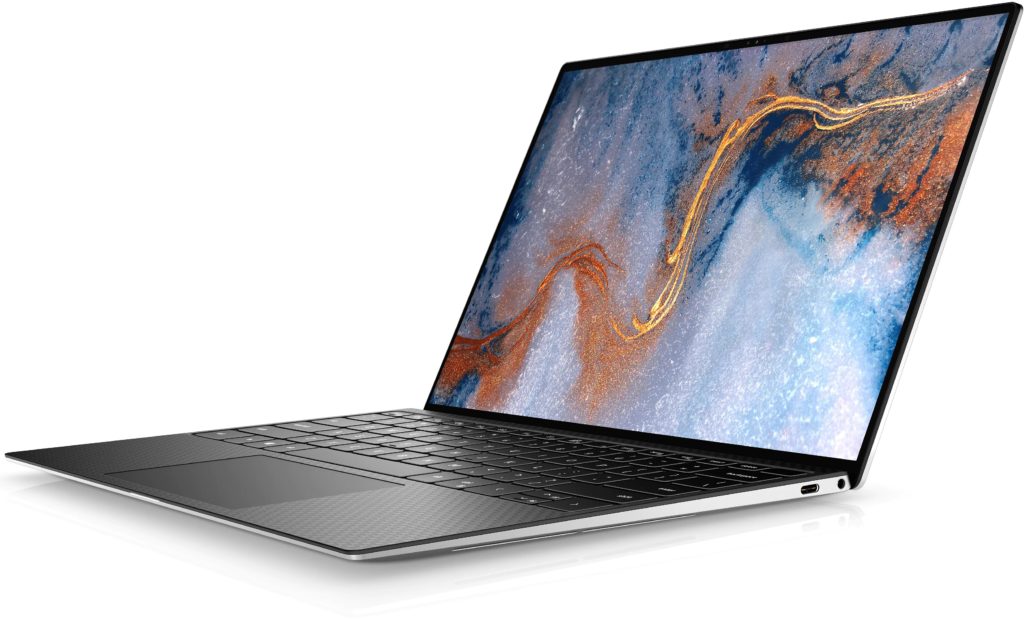
Close to the keyboard on both sides, you’ll find two upward-facing speaker grilles. Underneath these is a quad-speaker system that is by far one of the best we’ve ever heard in a laptop, going right up against the latest 13-inch MacBook Pro.
But it’s not just the speakers that render an excellent media experience. The display is simply out of this world. With a 1,920 x 1,080 display that hits 100% of the Adobe RGB color gamut and 500 nits of brightness, this is one hell of a laptop computer to watch your favorite movies and play your games on – especially paired with those amazing speakers.
The display bezels are astonishingly small to make it even better, so practically all you see is the screen. It adds even more beauty to an already beautiful laptop. This display is one of the biggest reasons to go for the XPS 13, whether you’re an artistic profession that needs a bright, color-accurate display for work, or you just like high-resolution games and movies whenever you get a break.
In terms of design, there’s nothing really to complain about. Dell’s engineers have absolutely hit it this time around, and it’s pretty easy to see that the Dell XPS 13 is going to be the gold standard for consumer laptops for the foreseeable future – though we would love to see another one top it.
Perfomance
The model we reviewed is packed with an Intel Core i7-1065G7 and an Intel Iris Plus (integrated), 16GB of DDR4 RAM, 512GB SSD. The Dell XPS 13 clearly falls into what we would describe as the “prosumer” market. It is not so powerful that professional video editors or animators are going to be too excited for it, but it’s surely powerful for anyone that does that stuff for a hobby, or just doesn’t want to get slowed down by any computing task that they may run into.
And while the Intel Iris Plus (integrated) is not technically a gaming GPU, the Dell XPS 13 is definitely not a gaming laptop, and the thin and light chassis design doesn’t really support extended gaming sessions where heat could potentially cause performance issues.
Instead of playing the latest AAA games at native resolution with all the settings turned up to max, the gaming that this machine will be capable of is mainly 1080p with medium settings, though you’ll be able to play your favorite indie gems to your heart’s content.
To banter, the Dell XPS 13 scores just 3,654 points in 3DMark Time Spy. To put that into perspective, the GTX 1660 Ti in the Microsoft Surface Book 3 – paired with a much more limited CPU – scores 4,840 points in the same test. That’s a 25% loss in performance and means that we didn’t really bother running pure gaming benchmarks. This laptop is clearly not built for that.
However, when it shines, the XPS 13 absolutely glows. The CPU performance here is extremely strong across the board, scoring a GeekBench 5 multi-core score of 7,408, which not only beats the Gigabyte Aorus 17G, a laptop with much more robust cooling but comes within reaching distance of the AMD Ryzen 9 4900HS in the Asus Zephyrus G15 – color us impressed.
In such a thin and lightweight chassis, the Dell XPS 13 renders workstation-level performance that won’t weigh you down on your subway ride to work. Sure, the GPU could be stronger, but that would likely come with added bulk, as it would necessitate a more robust (and heavy) cooling system.
Software
Dell sadly is among those laptop manufacturers that load up a host of its software even on its premium laptops. Fortunately, that does stay out of the way here, but with the entry-level version of the laptop not coming with enormous SSD, we would love to see companies start making some of this software optional.
Before you start uninstalling all of it, however, we would advise keeping some of it such as Dell Update and Dell Customer Connect, especially if you aren’t comfortable going on the search for driver updates whenever necessary. Although, you can do everything these programs do yourself, having these convenient programs isn’t so bad.
The rest of the programs are entirely optional, like Dell Cinema Color, which will balance the color profile of your display around a few different presets. However, right out of the box, the XPS 13’s display is pretty much perfect, so we don’t see any reason to do this.
Dell knocks it out of the park when it comes to security features, however. This new XPS 13 features both Windows Hello flavors, allowing you to either log in with your face or your fingerprint. This might sound like overkill to some, but if you typically wear glasses or makeup, Microsoft’s facial login isn’t great, making the fingerprint scanner more reliable. It’s going to be very rare that anyone uses both of these options simultaneously, but we love that Dell is giving folks the choice.
Battery life and charging
For our Dell XPS 13 review, we used the model that comes strapped with an 86Whr battery, which is great for a laptop that’s this thin. The battery life absolutely reflects this, with the laptop boasting 9 hours and 50 minutes of battery life in the PCMark 10 battery life test.
This test primarily runs the laptop through a variety of tasks that you might encounter every day and repeats those tasks until the battery is drained. For casual office work, this laptop will effectively last all day and a bit when you get home and are scrambling to find the charger.
However, our movie playback test brought a different result. In the test, we only saw 6 hours and 30 minutes of battery life. This actually boils down to the 4K touch display. So, if you’re planning on watching one of your favorite shows while lying in bed and trying to drown out reality for just a little bit, you might consider having your charger at hand.
Dell XPS 13 Price and availability
The Dell XPS 13 is readily available now from your favorite retailer, with a starting price of $949 in the US. For that entry price tag, you’ll be getting a 10th-generation Intel Core i5 processor, 8GB of RAM, and a 256GB SSD, with a 1080p non-touch display.
The starting configuration differs depending on where you are located though. For example, in the UK, you can find the Dell XPS 13 starting at £1,199, with the main difference being the doubling of SSD space to 512GB. But, in Australia, the XPS 13 starts at AU$3,198, getting you a Core i7-10750H, 16GB of RAM, a 512GB SSD, and an Nvidia GeForce GTX 1650 Ti discrete GPU.
Of course, the story doesn’t end with the entry-level models. You can upgrade the XPS 13 with a ton of hardware, though the model we reviewed isn’t quite available. On Dell’s website, a Dell XPS 13 with the Core i7-10875H is nowhere to be seen, instead of capping with the 10750H. The difference between these two processors is negligible, but it’s still worth mentioning.
If you want to upgrade your XPS 13 to the configuration, you’ll have to go and configure it yourself. It’ll cost you up to $2,299. And if you want to go all out, however, you can get an XPS 13 kitted out with 32GB of RAM and a 2TB SSD for $2,749. With this level of hardware, this model will probably be reserved for people that need to do some serious artistic work.
What we think about this laptop
The Dell XPS 13 ensues in the treads of the new XPS 13 by making small but welcome sophistication to one of the best laptops you can buy. The refined, bezel-less InfinityEdge display is one of the most immersive and impressive screens you can find on a laptop computer, with brilliant color and plenty of raw power for getting work done.
The XPS 13’s larger keycaps and touchpad make Dell’s laptop comfortable to use for long stretches of time, and its impressive loudspeakers can fill small rooms with rich sound. Pair that with 10th Gen Intel CPUs and an optional Nvidia GTX 1650 Ti GPU, and the XPS 13 has more than enough muscle for everyday multitasking including video editing and gaming.
| WHAT WE LIKE | WHAT WE DO NOT LIKE |
| Stunning design | The graphics are a little weak |
| Fast processing | |
| Beautiful display | |
| comfortable keyboard and touchpad |
Thank you for going through the Dell XPS 13 review. Drop your questions in the comment section below, w will be glad to answer them. And don’t forget to share with friends and colleagues.
Read also;