
Video editing in 2026 demands more power than ever. Between 4K/6K multicam workflows, AI-assisted editing, advanced color grading and GPU-accelerated effects, you simply cannot rely on average hardware anymore.
However, picking out the right laptop for you could be an exhaustive task, especially with many powerful laptops from different manufacturers out there. That is why we have taken the pain for you to list out the top best laptops for video editing in 2026, tested and selected for their real-world performance across Adobe Premiere Pro, DaVinci Resolve, Final Cut Pro and After Effects.
Each recommendation includes full specs, pros, cons and buying guidance to help you pick the machine that fits your workflow.
Without much talk, just sit back, grab a cup of coffee if you want, and go through this list of the top best video editing laptops in the next 10 minutes.
How to Choose the Right Laptop for Video Editing in 2026
Before diving into the top laptops, it’s important to understand what actually matters. Many creators make the mistake of focusing on the wrong specification, for example, choosing a strong CPU but ignoring the cooling system, or buying a powerful GPU but limiting performance with too little RAM.
Here are the main components that truly shape your editing experience in 2026:
- CPU (Processor): The Brain of Your Timeline
Modern editing software uses CPUs for timeline playback, decoding certain codecs, and applying non-GPU effects. In 2026, a strong CPU with 10 to 16 cores (or high-efficiency cores like Apple Silicon) is essential for smooth scrubbing and responsive editing, especially with multicam projects.
- GPU (Graphics Card): Crucial for Rendering and Effects
If you rely on Adobe Premiere Pro, DaVinci Resolve, or After Effects, the GPU becomes even more important than the CPU.
A powerful GPU dramatically accelerates exports, color grading, AI upscaling, and stabilisation.
NVIDIA RTX 4080/4090 – Best for heavy color work & VFX
Apple Silicon GPUs – Extremely efficient, very stable for 4K/8K workflows
AMD GPUs – Good, but less popular in pro workflows today
- RAM: The Real Multitasking Power
If you edit professionally, 16GB is simply not enough anymore.
In 2026, 32GB is the new minimum, and 64GB is ideal for large 6K–8K projects, motion graphics, and multi-layer timelines.
- Storage: SSDs Now Matter More Than Ever
A fast SSD does not only load projects faster — it directly impacts your ability to scrub high-resolution footage in real time.
Look for NVMe Gen 4 or Gen 5 SSDs, ideally starting at 1TB or more.
- Battery
Yes battery! You don”t want to get stucked with the wall socket or needing to charge every two hours. Go for a battery that will last at least 6 hours on a single charge.
- Thermals & Build Quality
A laptop that overheats will throttle performance and slow down your edits — even if the specs look strong on paper. Good cooling is just as important as good hardware.
Which is the best laptop for video editing in 2026 ?
Below are the top laptops for video editing this year. Each section gives you not only the specs, but an expert reading of how the laptop behaves in real workflows so you know exactly what to expect.
MacBook Pro 16” M4 Max — The Most Complete Editing laptop of 2026.
The MacBook Pro 16” M4 Max remains the gold standard for professional video editing in 2026. What makes it unique isn’t just raw performance — it’s the stability of Apple Silicon, the remarkable battery life, and a display that rivals professional reference monitors.
If your workflow includes Final Cut Pro or DaVinci Resolve, the M4 Max offers some of the fastest playback and export performance available on any laptop today. Even in Adobe Premiere Pro — historically more favorable to NVIDIA GPUs — the M4 Max shows impressive consistency, especially in H.265 and ProRes workflows.
Key Specifications
CPU: Apple M4 Max (up to 16 CPU cores)
GPU: Up to 40-core Apple GPU
RAM: 32GB / 64GB / 128GB unified memory
Storage: 512GB – 8TB SSD
Display: 16.2” Liquid Retina XDR, 120Hz ProMotion, 1600 nits peak
Battery Life: Up to 18–20 hours
Ports: 3× Thunderbolt 4, HDMI 2.1, SDXC, MagSafe
Pros
The combination of raw power, incredible color accuracy, and silent performance makes the MacBook Pro unmatched for high-end editing. Its unified memory system handles large timelines effortlessly, and its battery life allows you to edit full sessions unplugged — something virtually impossible on Windows machines.
Exceptional performance for 4K–8K editing
Silent even under heavy rendering
Best color-accurate display for grading
Unbeatable battery life for creators on the go
Industry-leading stability for Final Cut and DaVinci Resolve
Unified memory dramatically improves timeline smoothness
Cons
If your work depends heavily on CUDA-based acceleration (for example, advanced 3D rendering or VFX operations in After Effects), NVIDIA GPUs still hold an advantage. The MacBook is also one of the most expensive options, making it a premium choice for professionals rather than beginners.
Very expensive at higher configurations
Limited upgradeability — what you buy is final
Not ideal if your workflow relies heavily on CUDA acceleration (Adobe AE, 3D tools)
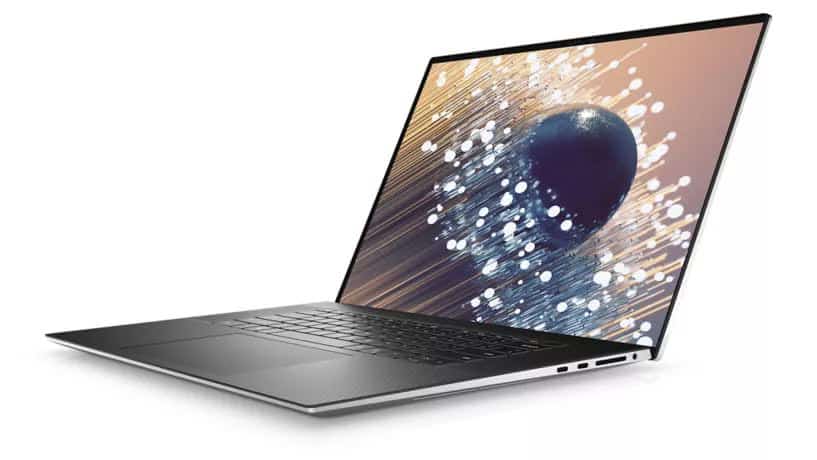
1. Dell XPS 17
SPECIFICATIONS
CPU: Intel Core i7-11800H
GRAPHICS: NVIDIA GeForce RTX 3050
RAM: 16GB DDR4
STORAGE: 1TB SSD
DISPLAY: 17-inch FHD+
BATTERY: One Lithium-Ion battery is required. (included)
WEIGHT: 4.65 lbs
| REASONS TO BUY | REASONS NOT TO BUY |
|---|---|
| Big, bright display | No touch screen |
| Loudspeakers | Not easy to carry around for some people |
| Powerful performance |
The Dell XPS 17 comes with staggering that we hardly see in a laptop computer. Up to an 11th Gen Intel Core i7 processor, an Nvidia GeForce RTX 3050 GPU will handle all your video editing apps smoothly. On top of that, you get a powerful 4k display to output all your work.
With its state-of-the-art cooling system and immersive sound technology such as we’ve never seen in a 17-inch before. Whether you are running the most sophisticated video editing software out there, this powerhouse is more than capable of keeping you going.
- Read our full Dell XPS 17 review
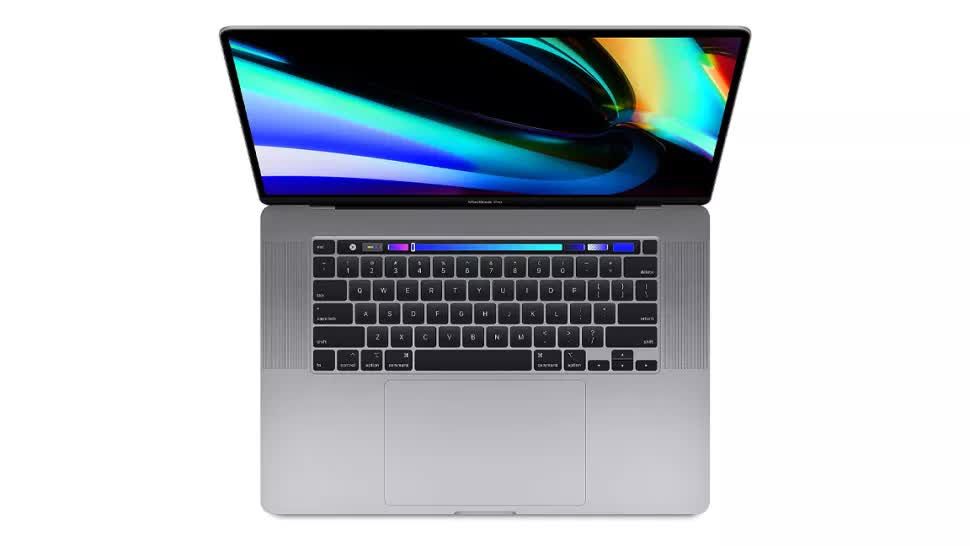
2. MacBook Pro 16
SPECIFICATIONS
CPU: M1 Pro
GRAPHICS: Integrated 16-core GPU
RAM: 16GB to 64GB
STORAGE: 512GB to 8TB
DISPLAY: 16.2-inch Liquid Retina XDR
BATTERY: up to 14 hours
WEIGHT: 4.7 lbs
| REASONS TO BUY | REASONS NOT TO BUY |
|---|---|
| Robust performance | Expensive |
| New design | Heavy |
| Long battery life |
If you’re considering a MacBook for your video editing job then you might want to go for the MacBook Pro 16. Of course it is an expensive piece, but you get the worth of every $ you spend. Apple’s M1 chip delivers a fast a robust performance second to none.
An astonishing display and long battery life makes this laptop to standout from the rest. Apple has brought back the previously removed ports, MagSafe and function keys, and an SD card reader on top of that. This laptop will breeze through all your video editing softwares without a hinge.
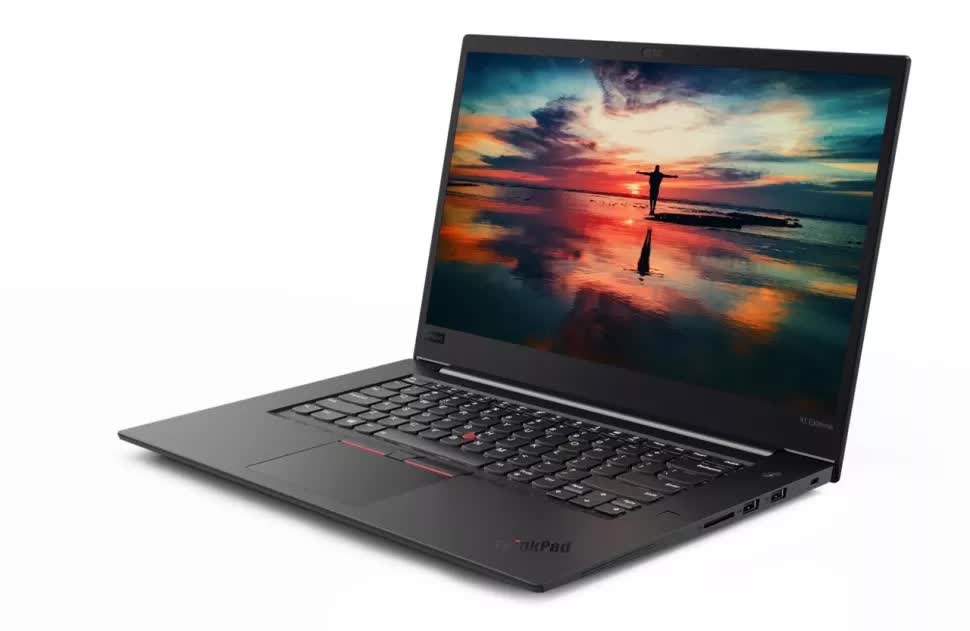
3. Lenovo ThinkPad X1 Extreme
SPECIFICATIONS
CPU: Intel i7-11800H
GRAPHICS: NVIDIA GeForce RTX 3050 Ti
RAM: 16GB
STORAGE: 512GB to 2TB
DISPLAY: 16.2-inch
BATTERY: 90 Wh, 170 W charger
WEIGHT: 4.42 lbs
| REASONS TO BUY | REASONS NOT TO BUY |
|---|---|
| superb build quality | Could get hot |
| many hardware/screens configuration options | noisy fans |
| loudspeakers | |
| Good balance between performance and quality |
The ThinkPad X1 Extreme is one of those laptops you can call jack of all trades as it combines power, ruggedity and portability. Its 11th Gen Intel Core i7 processor, a 16-inch screen with 4k display, many ports, and more are packed in a rugged yet stylish chasis.
Whether you intend to do some editing on a road trip with family or friends, or play some game with this laptop, you can trust on the strong build this laptop comes with.
- Read the complete review here
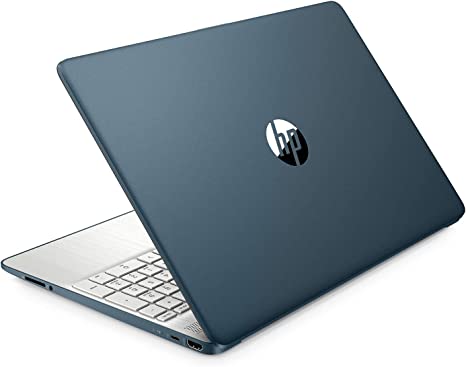
4. HP Pavilion 15
SPECIFICATIONS
CPU: AMD Ryzen 5 5500U
GRAPHICS: AMD Radeon Graphics
RAM: 12GB – 32GB
STORAGE: 256GB – 2TB
DISPLAY: 15.6″ diagonal, FHD (1920 x 1080)
BATTERY: 1 Lithium-Ion battery required (over 9 hours)
WEIGHT: 3.75 lbs
| REASONS TO BUY | REASONS NOT TO BUY |
|---|---|
| Affordable | no fast charge |
| Powerful processor | Display could be better |
| lightweight |
Starting from its fancy design, to its lightweight and portability, down to the gorgeous 15-inch FHD display, this laptop is amazing. Together with the AMD Ryzen 5 5500U processor- which is equivalent to an Intel Core i7, this laptop ranks among the premium class.
Perhaps the most mind-blowing fact about this laptop is the cost. At an entry price of $689, you can get your next video editing laptop. Yes one of the best video editing laptop is worth less than $1000!
- Read the complete review here
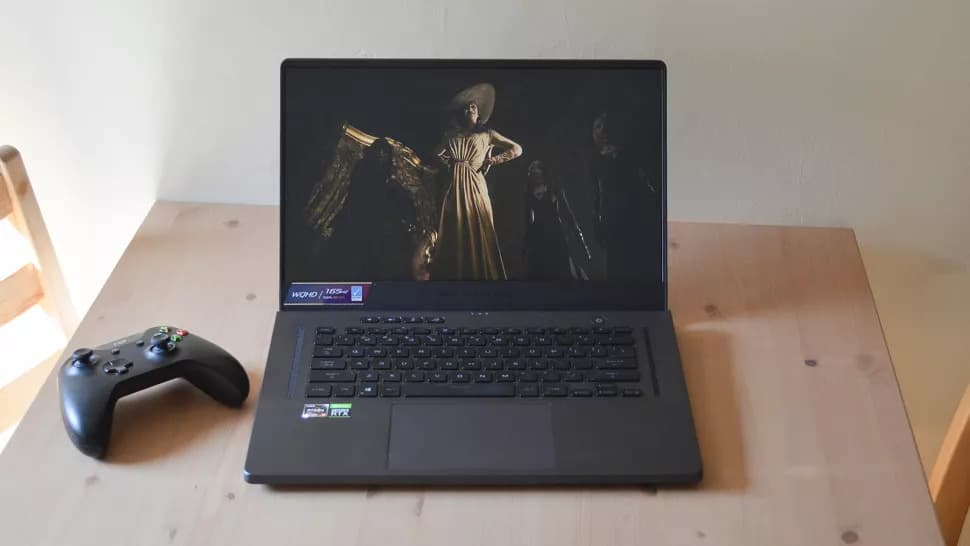
5. ASUS ROG Zephyrus G15
SPECIFICATIONS
CPU: AMD Ryzen 9 5900HS
Graphics: Nvidia RTX 3070
RAM: 16GB RAM
Screen: 15.6-inch QHD (1440p), 165Hz, 3ms, 300 nits
Storage: 1TB SSD
Weight: 4.19lbs (1.9kg)
Battery: 90 WHr with fast charge
| REASONS TO BUY | REASONS NOT TO BUY |
|---|---|
| Great processing power | Poor brightness |
| Superb performance | no webcam |
| Outstanding battery life | |
| Sleek design |
The ASUS ROG Zephryus G15 is packed with the latest and most powerful AMD Ryzen and Nvidia RTX 3000 series, it is an incredibly powerful machine that can see you through the most demanding video editing softwares. The long battery life and an aesthetic design all make this laptop a class of its own.
- Read the complete review here
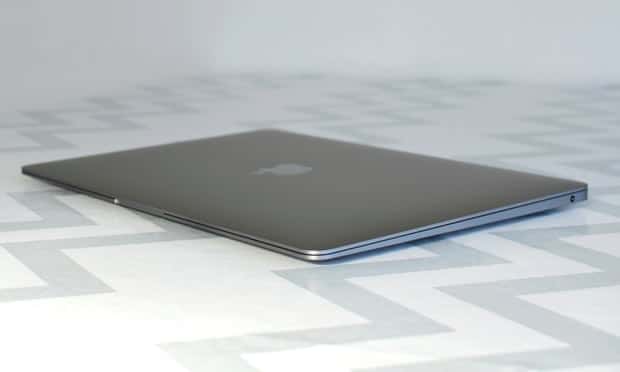
6. MacBook Air
SPECIFICATIONS
CPU: Apple M2
Graphics: Nvidia RTX 3070
RAM: 8GB to 24GB RAM
Screen: 13.6-inch LCD
Storage: 256GB to 2TB SSD
Weight: 2.7lbs
Battery: 30W USB-C
| REASONS TO BUY | REASONS NOT TO BUY |
|---|---|
| Probably the thinnest laptop | More expensive than other alternatives |
| Even a better performance from M2 chip | Notch a bit big |
| Long battery life |
The MacBook Air is arguably the most thinnest laptop out there at just 2.7 pounds or 1.24kg. Yet inside this lightweight hardware lies Apple’s Silicon M2 chip, the successor to the ground-breaking M1. The M2 is as expected more faster, smarter and efficient to handle all your video editing needs.
You get stellar performance, a vibrant display and long battery life all wrapped up in a design that is amazingly portable.
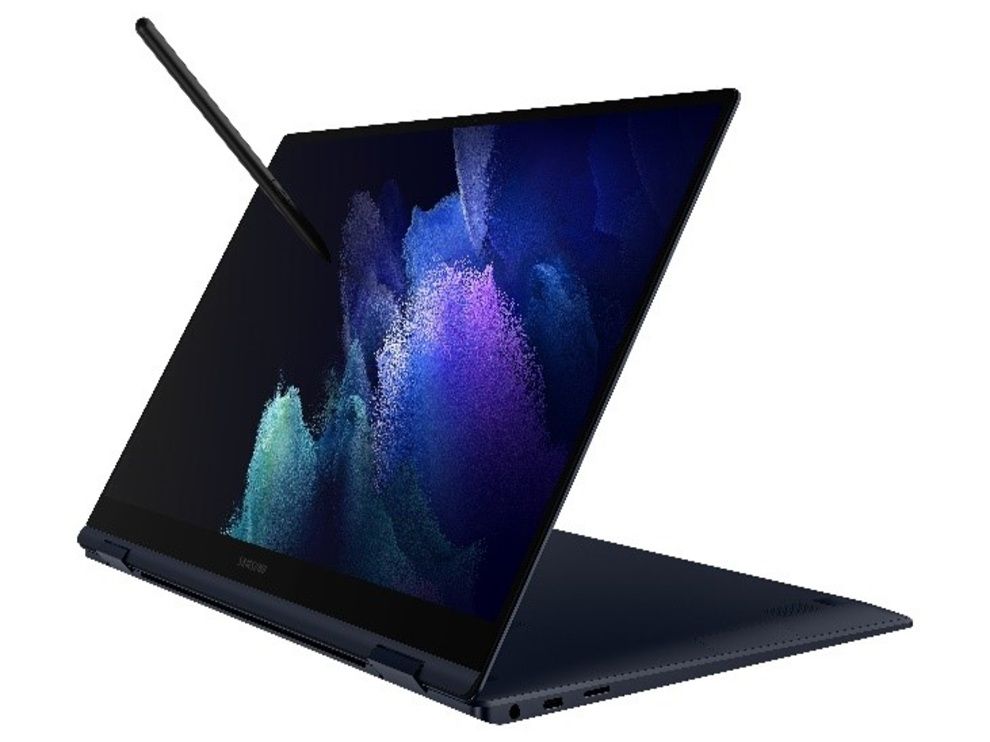
7. Samsung Galaxy Book Pro 360
SPECIFICATIONS
CPU: Intel Core i7-1065G7
Graphics: Intel Iris Xe integrated graphics
RAM: 16GB LPDDR4x
Screen: 15.6-inch 1080p Super AMOLED
Storage: 256 GB to 1 TB SSD
Weight: 3.11 pounds
| REASONS TO BUY | REASONS NOT TO BUY |
|---|---|
| Extremely portable | 1080p max resolution disappoints |
| Roomy keyboard and responsive touchpad | |
| Speedy performance |
Samsung’s Galaxy Book Pro 360 is powered by some of the latest hardware on the market like Intel’s 11th-gen processors, an AMOLED panel, and more to make it one of the best laptops for video editing in the market.
Content creators can appreciate the vivid 15.6-inch AMOLED display, and also the Book Pro 360 slender but sturdy aluminum frame means that frequent travelers will not even notice the laptop computer in their backpack, purse, or case.
Read the complete review here
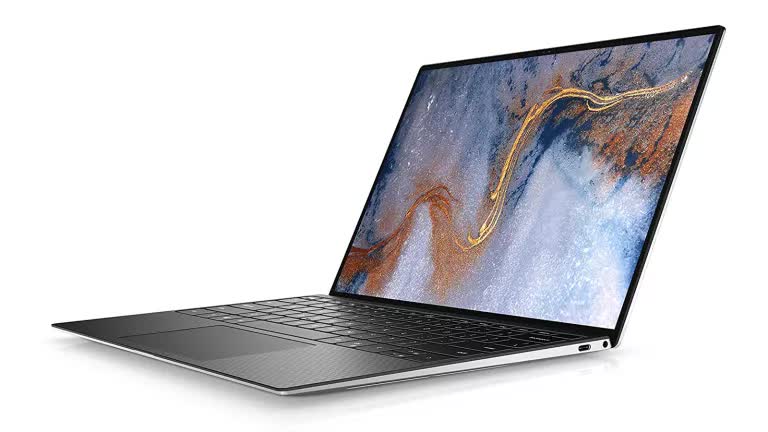
8. Dell XPS 13
SPECIFICATIONS
CPU: Intel Core i7-1065G7
Graphics: Intel Iris Plus
RAM: 16GB LPDDR4x
Screen: 13.3-inch FHD touch
Storage: 512GB SSD (PCIe, NVMe, M.2)
Weight: 2.8 pounds (1.27 kg)
| WHAT WE LIKE | WHAT WE DO NOT LIKE |
| Stunning design | The graphics are a little weak |
| Fast processing | |
| Beautiful display |
The Dell XPS 13 has larger keycaps and touchpad which make laptop comfortable to use for long hours, and its impressive loudspeakers can fill small rooms with rich sound. Add a 10th Gen Intel CPU and an optional Nvidia GTX 1650 Ti GPU to that, and the XPS 13 has more than enough power for video editing and multitasking.
This laptop goes head to head with the MacBook Air in terms of power and portability. This makes it ideal for those looking for Windows that can match with the MacOS.
- Read the complete review here

9. HP Spectre X360
SPECIFICATIONS
CPU: Intel Core i7-1165G7
Graphics: Intel Iris Xe
RAM: 16GB LPDDR4x
Screen: 13.3-inch FHD (1080p) touch
Storage: 512GB SSD (PCIe, NVMe, M.2)
Weight: 2.8 pounds (1.27 kg)
| REASONS TO BUY | REASONS NOT TO BUY |
|---|---|
| Gorgeous design | Not great as a tablet device |
| Large, comfortable keyboard | Fans can get noisy |
| Superb performance |
The powerful Intel Core i7-1065G7 processor, Iris plus integrated graphics, and doubly the RAM of previous models mean that the HP Spectre x360 will rival its larger and a lot of unwieldy competitors rocking distinct GPUs.
HP Spectre X360 is that laptop that fits perfectly between work and play. The amazing build of this laptop is a beauty to behold and one that you will be proud to take out in public.
Read the complete review here
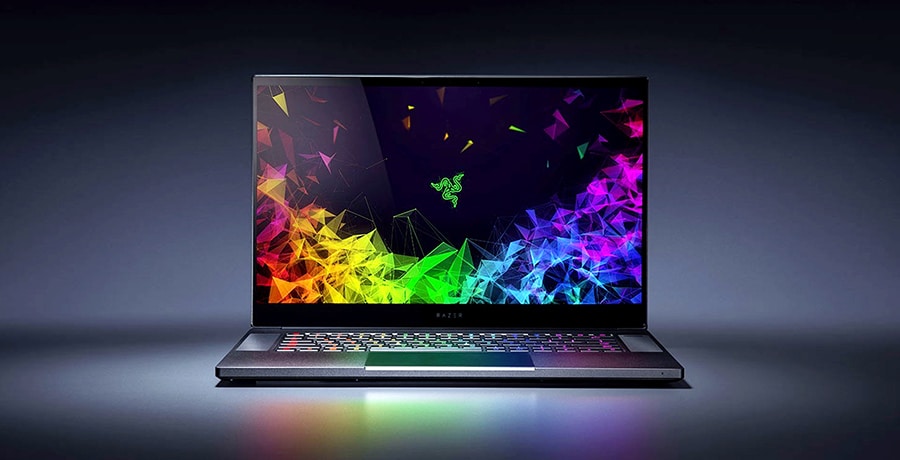
10. Razer Blade 15
SPECIFICATIONS
CPU: Intel Core i7-12800H
GPU: NVIDIA GeForce RTX 3080 graphic card
RAM: 32GB
SCREEN: 15.6 inches
STORAGE: 1TB
WEIGHT: 4.4 lbs
| REASONS TO BUY | REASONS NOT TO BUY |
|---|---|
| Attractive display | Expensive |
| Lots of ports | |
| Powerful CPU and GPU |
Razer Blade produces some of the best kinds of laptops for gaming, which is excellent for video editing. Furthermore, this one comes with the NVIDIA GeForce RTX 3080 graphic card, which would provide a smooth video editing process.
It has a 1TB SSD for storing as much data as possible. Along with it, the 32GB RAM is also fine to support the entire system. It also boasts of a seven-hour battery life which is fairly enough for a regular video editing session. It is a full-fledged reliable gaming laptop with all the necessary features for video editing.